Booking a Hotel Room
We are changing how attendees can book rooms for our events. In the past, we sent out a link to the hotels available, and you booked directly with the hotel. The only choices you had were the hotel category and the number of nights. Now, for our Naughty Halloween event, Naughty Members can pick their own room.
But first…
Before you can book your room, you will have to review our consent policy video and take a quiz. Once you pass, you can book your room.
Picking your room is a great new feature, exclusively for Naughty Members. It lets you know exactly which room you will be staying in. It also lets you pick a room near friends, the pool, or playrooms, elevators, the gym, or any other factors that might be your preference.
Attendees can now print cards with their room number to pass out to other attendees. This is a great way to network and make friends at the event, and to keep in touch when there are so many people that it is easy to miss potential connections.
We see this as a major upgrade to our system and an improvement that our attendees will appreciate. Being able to book your room is something attendees have been asking for a long time.
How the system works:
Like any change, there is a learning curve. To help you navigate this, we have put together the following step-by-step guide to make choosing a room category easy. This guide is for the Naughty Halloween event, coming up Oct 21-25, 2026.
Click on the tickets button at the bottom of the Naughty Halloween Hotel Rooms flyer (found on our home page) to get started. Note: You must have already purchased a ticket to book a room. If you haven’t booked your package yet, go to this link and get signed up today!
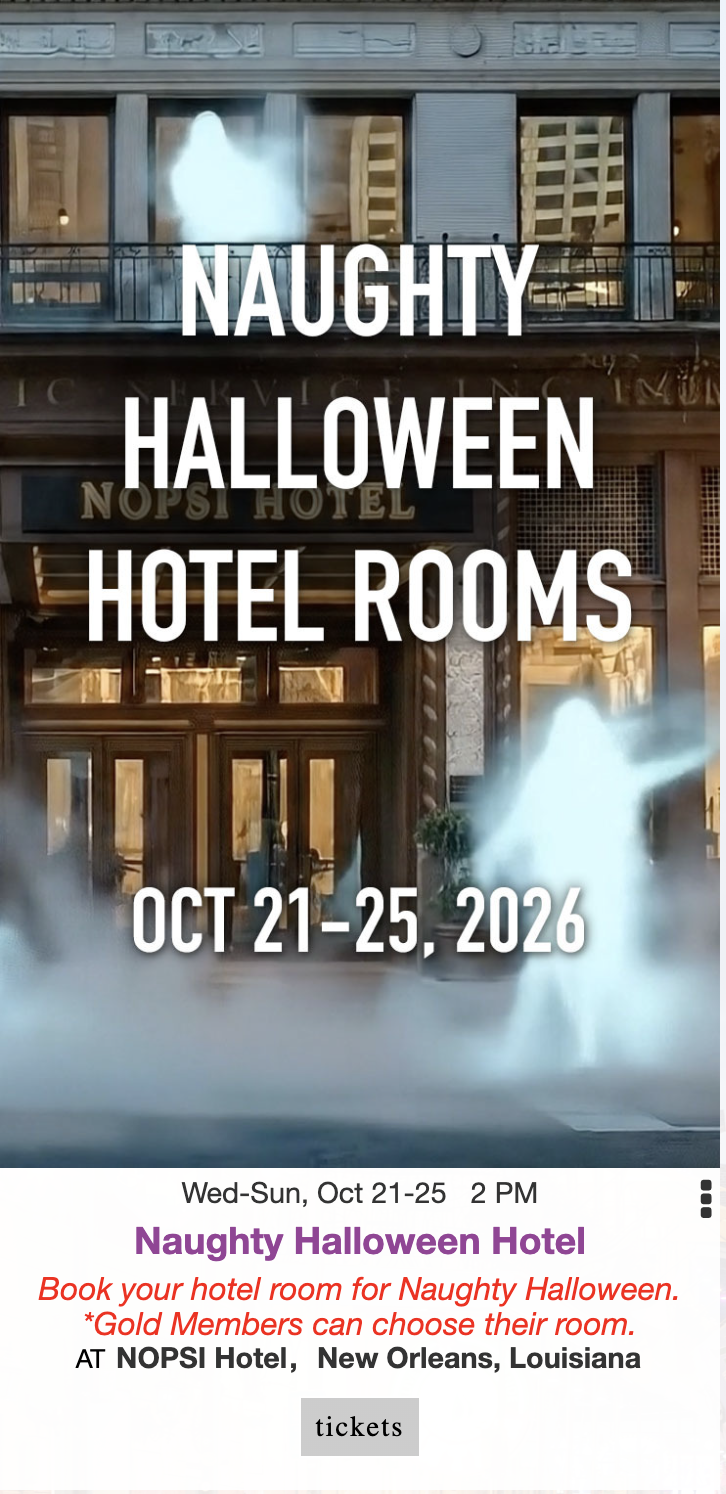
2. A registration form will pop up with your names, email, and phone number already filled in. Below, you will see a list of hotel rooms that have availability:
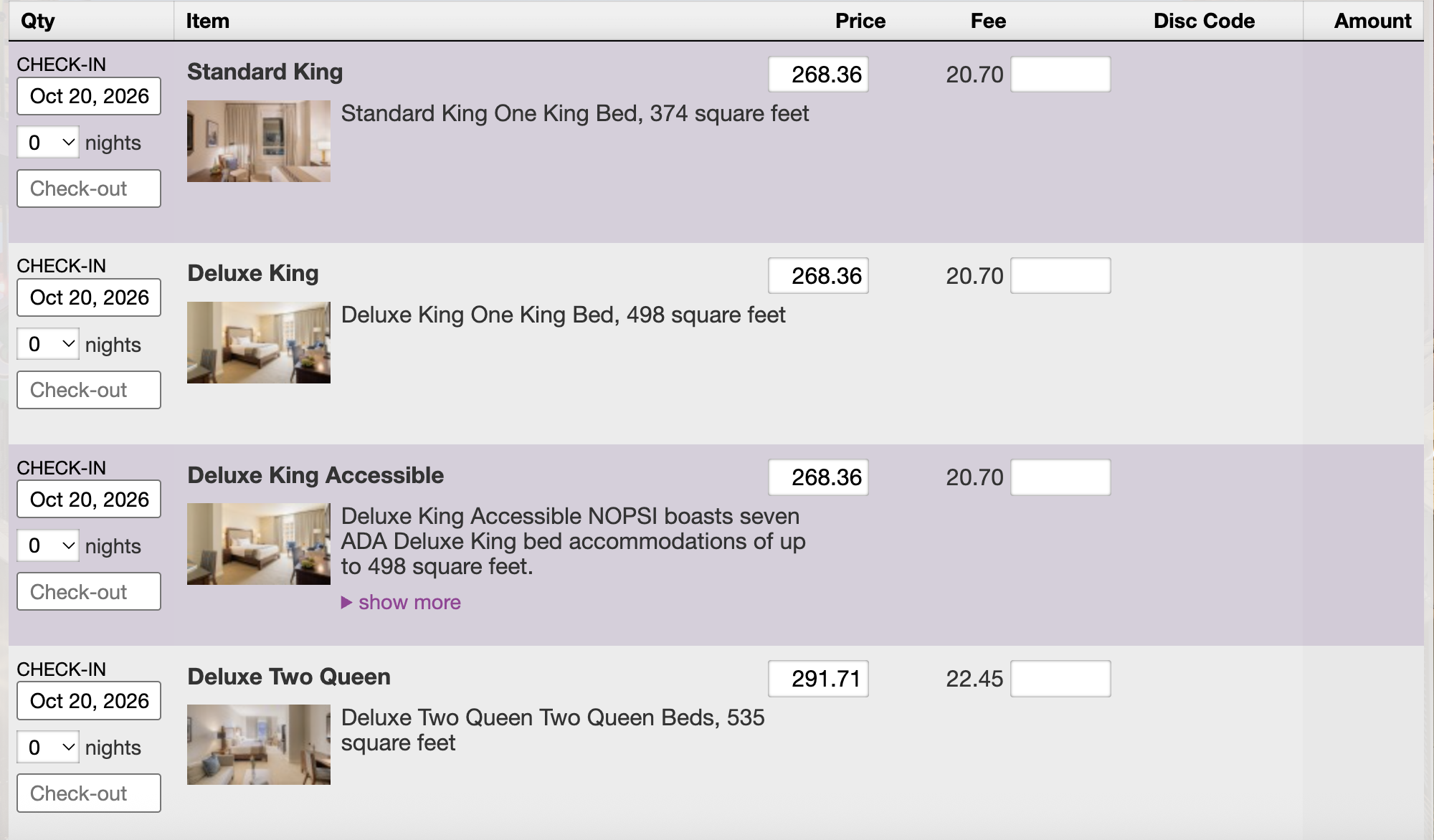
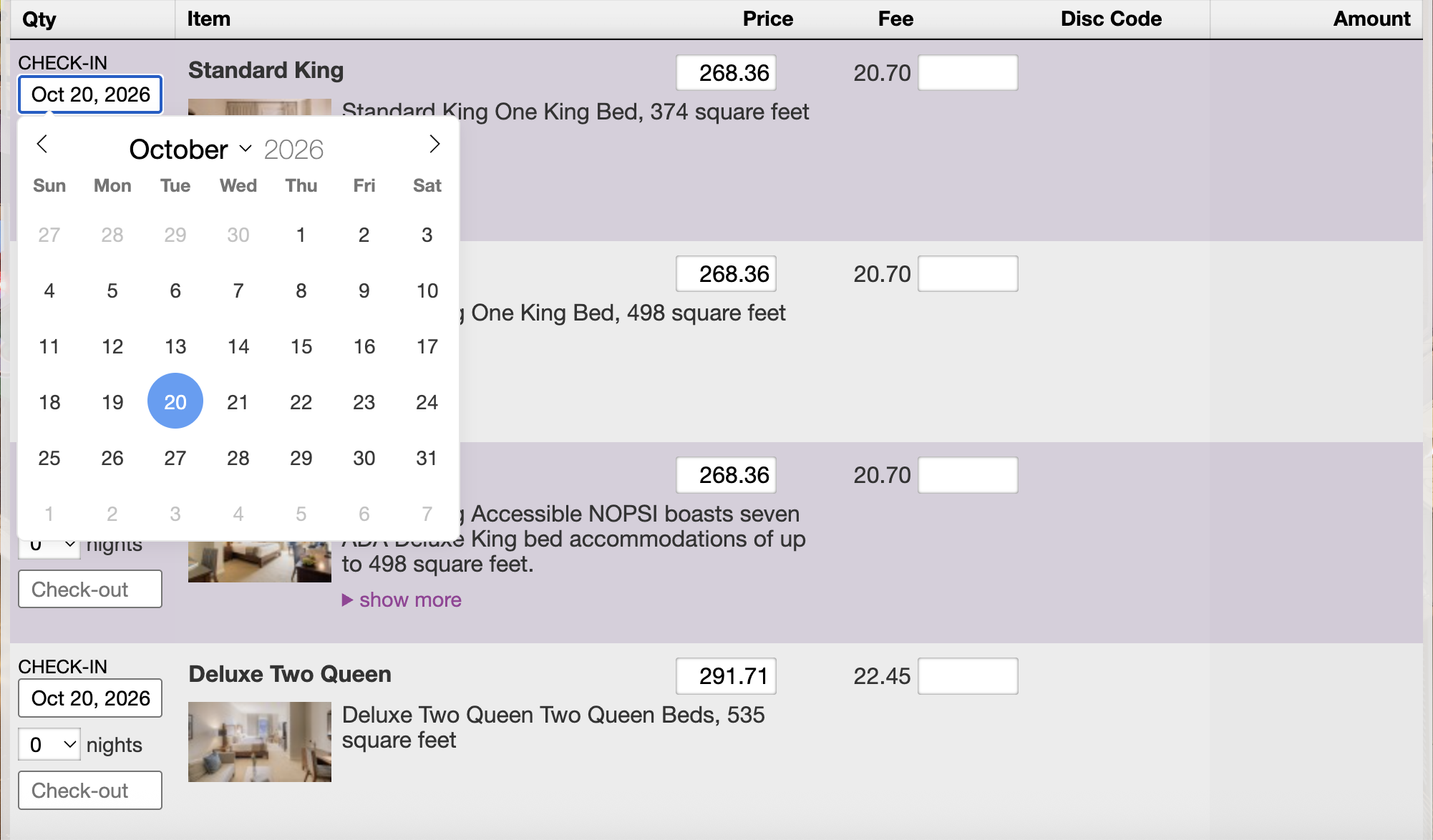
3. The next step is to choose your room category and then set the date you are checking in. In this example, we are booking a Standard King room and when you click on the CHECK-IN date a pop-up will appear and you can click on the date you are arriving.
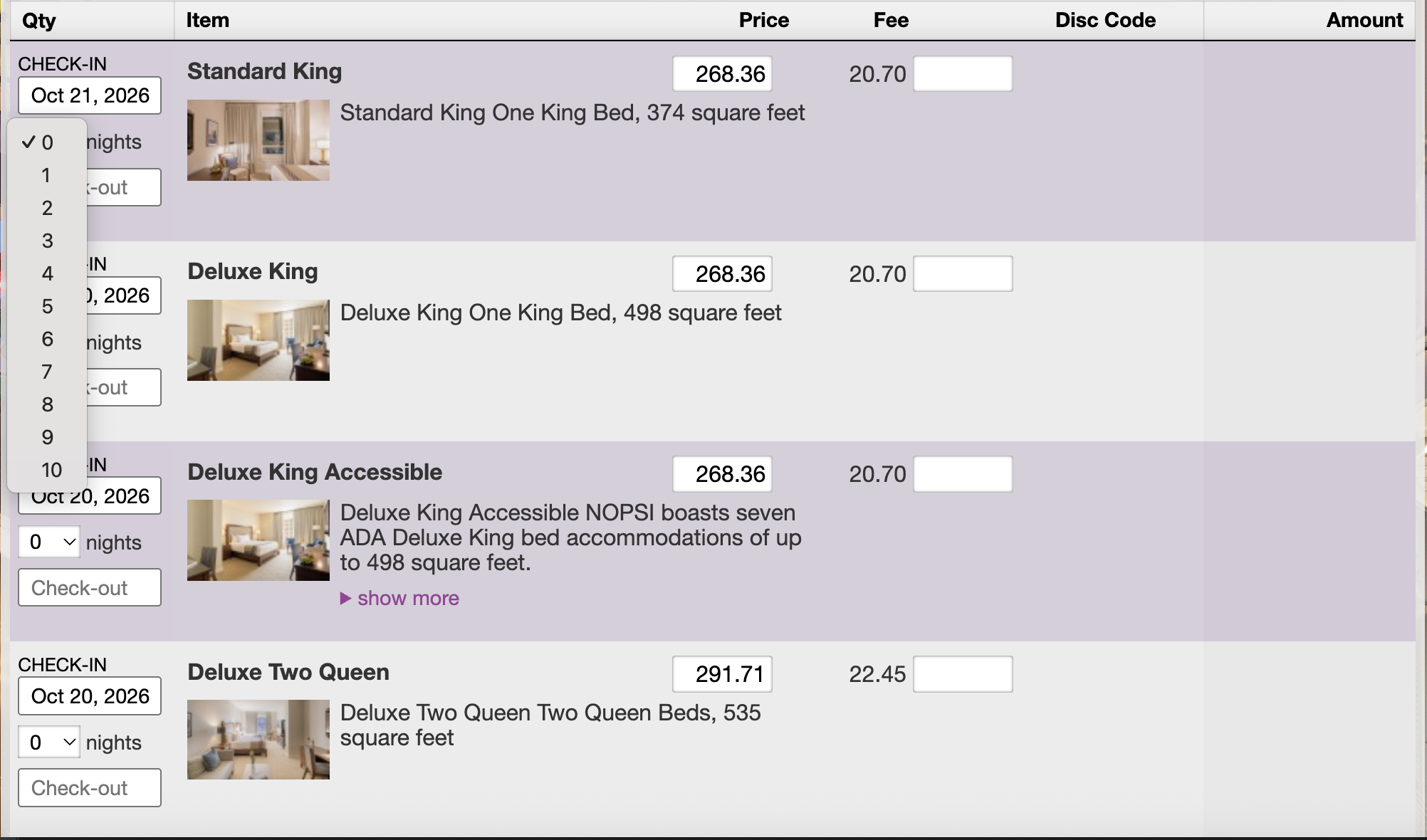
4. The next step can be done one of two ways: You can either select the number of nights in the drop-down menu, and it will populate the departure date automatically, or you can enter your departure date, and it will populate the number of nights automatically. There is a three-night minimum (Thurs, Fri, & Sat nights) to stay at the main host hotel. You will get an error message if you try to book fewer than the three nights listed above.
5. Once this is completed, a button will appear that says “choose room” (see below).
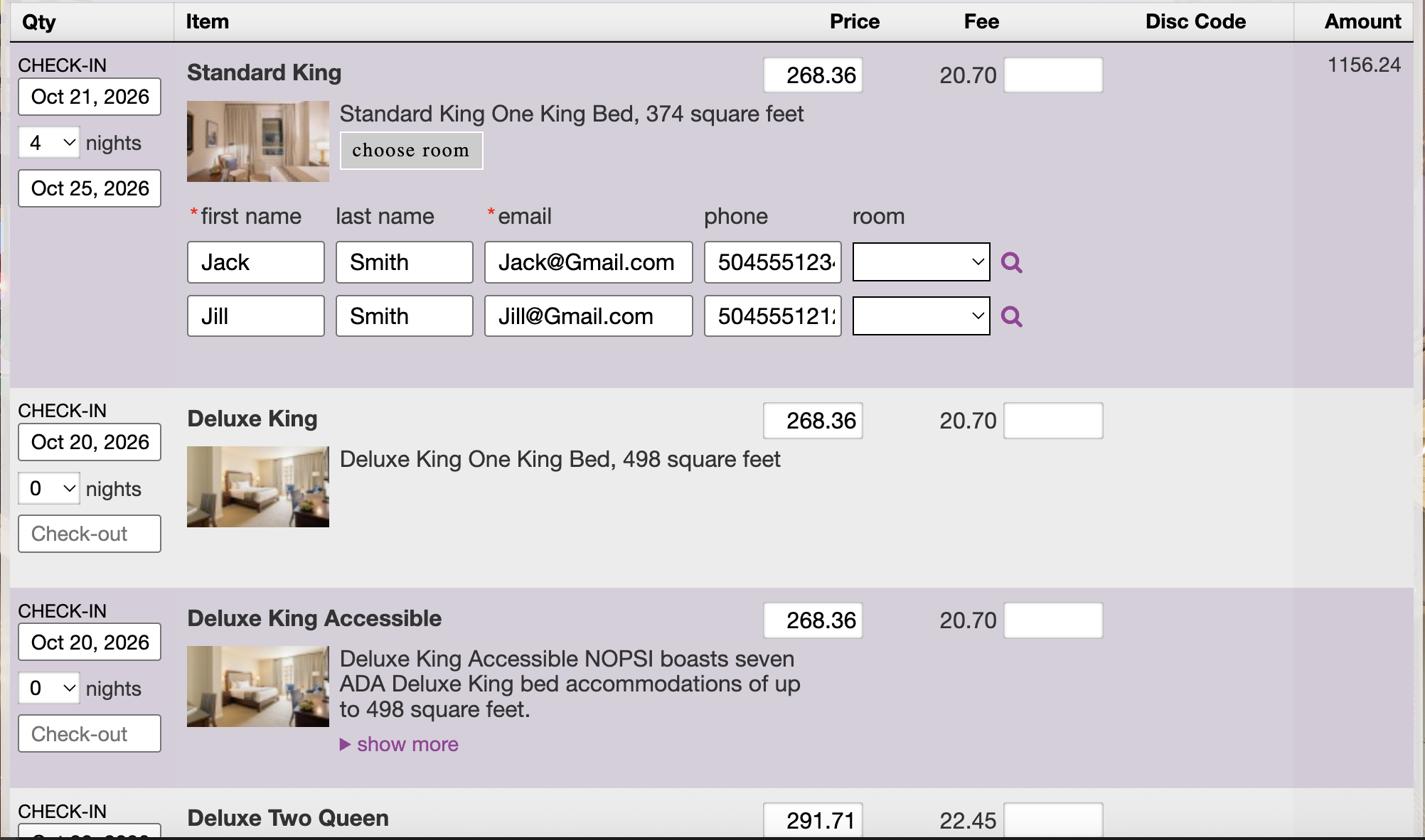
If you are not a premium Naughty Member, you won’t be able to choose your room. If you click the “choose room” link, you will get a pop-up with the link to join so you can choose your room. If you decide not to become a premium Naughty Member, you can close the pop-up and scroll to the bottom, click the checkbox to agree to our purchase terms and conditions, and then proceed to the checkout process.
Note: If you want to book a specific room, you can become a Naughty Member, by going to this link and signing up (it’s just $11 per month plus fees) and you will not only be able to choose your room, but you will also be able to sign in and see who else is going to the event, message them and see their photos. There are many other perks; you can learn more here.

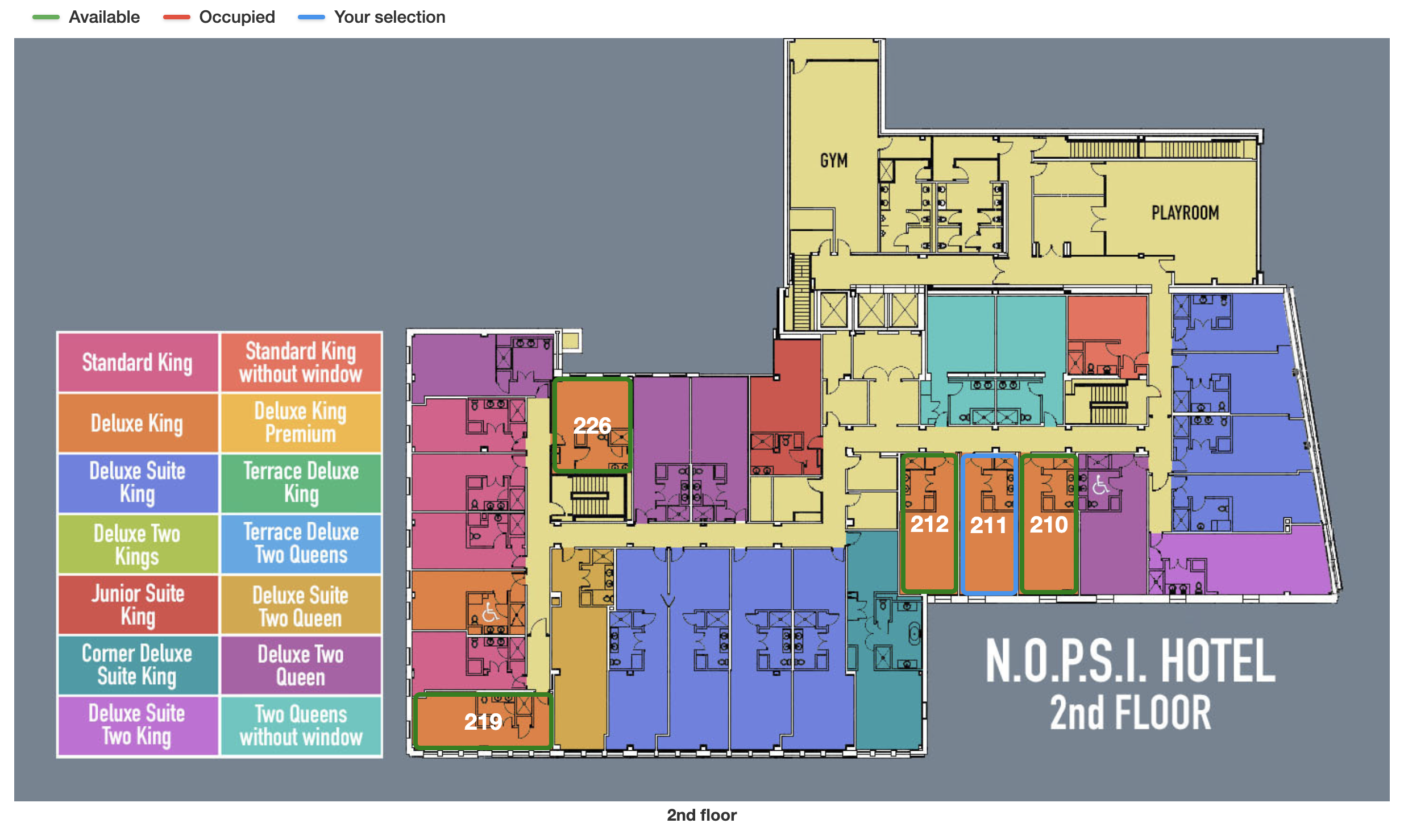
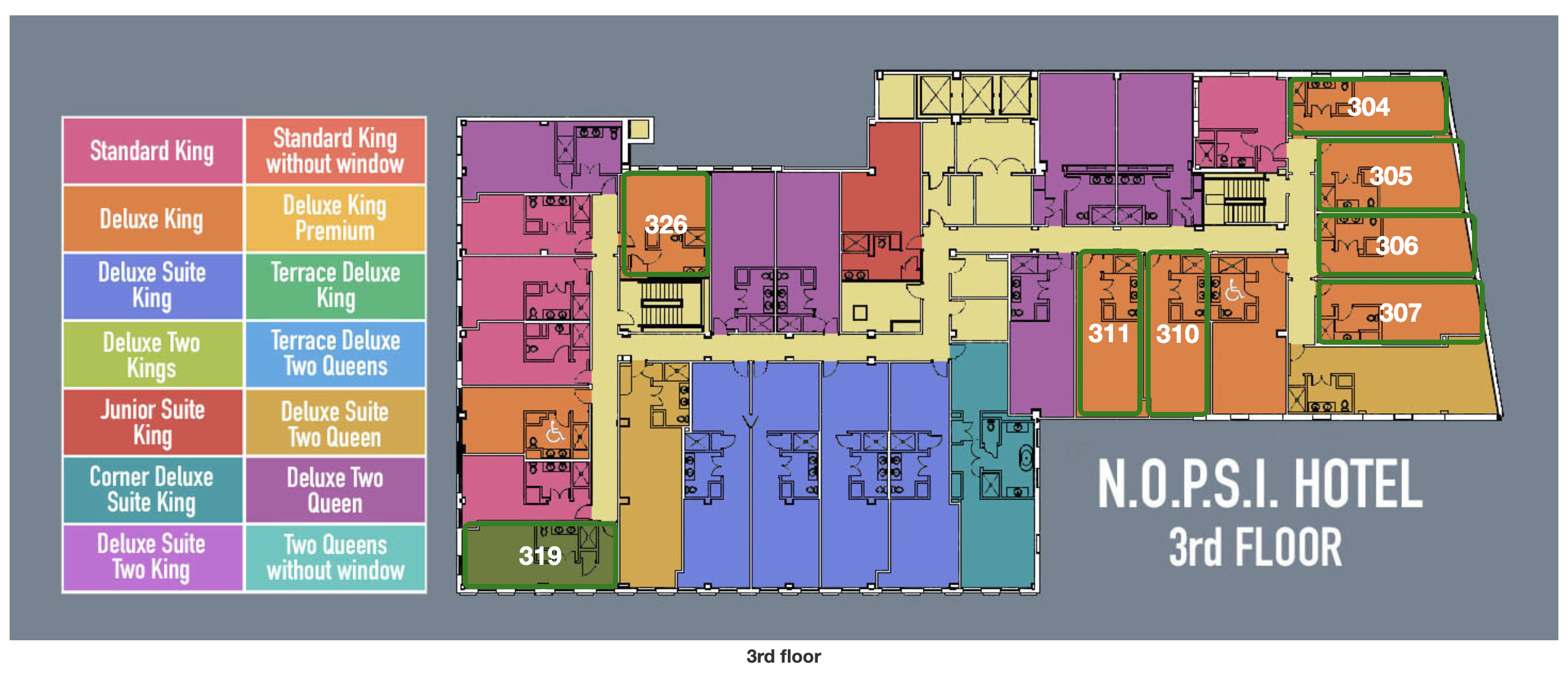
6. Premium Naughty Members will be able to select their room. Click the “Choose Room” button, and all available rooms on your category's floors will pop up so you can choose your room. There are eight different floors in our Naughty Halloween (NOPSI) hotel (floors 2, 3, 4, 5, 6, 7, 8, and the Penthouse level 9).
Note: If a floor isn’t showing, it is because all of the rooms in the category you picked are already taken. You can scroll between the floors and pick the room you want.
In the examples above, these are the choices for available Deluxe King rooms on the 2nd and 3rd floors. If available, additional floors will be displayed.
You can see in the example below that available rooms have a green outline, and room 211 has been selected and is outlined in blue.
Any rooms with a red border are already booked and cannot be selected. If there is no border, that means that the room is a different room category and cannot be selected unless you go back and change the room category selection.
We put a key to the left of each map to help you understand the different room categories. Once you see the floor plans, you may find a room that appeals to you more based on its size and location.
7. Once the room is selected, you will go back to the previous page, go to the bottom of the page and click the checkbox saying you agree to our purchasing terms and conditions, and then you can check out and pay for your room.
Note: We do have payment plans to make it easier. You don’t have to pay for the room in full unless you are booking at the last minute.
That’s it!
Easy peasy, you have now booked your room, and you can concentrate on some amazing costumes and making connections with other attendees on our Naughty Members website.
See you soon!